如何使用 fluiddpi 为 Kingroon KP3S 准备 Klipper 固件
要使用 Klipper,我们需要 Fluiddpi 的帮助,它是一个像 Octopi 一样强大的项目。它的镜像中包含 Klipper,因此您不必从头开始下载和安装它。当然,我们很快就会向您展示一个更好的 Kliiper 计划,即如何在 Octopi 上使用它。您可以在 docs.fluidd.xyz 上获取所需的所有信息。
注意
注意树莓派烧录系统的系统名称不能改 pi,程序好多直接使用绝对路径的地方,改了启动不了
第 1 步 - Flash Fluiddpi
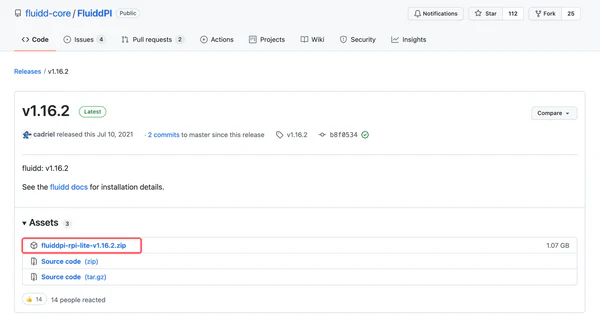
首先,访问 https://github.com/cadriel/FluiddPI/releases/latest 下载最新的 Fluiddpi 映像。
第 2 步 - 更新 Fluiddpi
启动 pi,稍等片刻,然后访问 http://fluiddpi.local 转到 Fluiddpi 的仪表板。请确保您的计算机和 pi 位于同一网络中。如果您没有 WIFI 适配器,您可以使用有线网络来代替。
第 3 步 - 准备 Klipper 固件
hen you will enter the config settings. Here are what you need to do:
1.Enable extra low-level configuration options
2.Set the Bootloader offeset as 28 KiB
3.Set the “Micro-controller Architecture” as “STMicroelectronics STM32”
4.Set the Communication interface as “USART3 PB11/PB10”
5.Enter the last option, enter “!PC6, !PD13”, the. Press enter key
Then press Q and enter “yes”, after that, the setup is done.